Product updates

Halo on iPhone Duo - Press Kit

TTanmayOctober 7, 2026
An overview of Halo on iPhone Duo, showing the main folded, unfolded and partially folded poses.
DownloadMP4

I have been working on how Halo should feel on iPhone Duo. The extra screen gives you room to keep your assistant beside what you are doing, and the fold changes how that space should be used.

The result is a layout that changes with the device. Fold it and Halo fits into a single view. Open it and you can keep chat alongside your briefing. Partially fold it and the two views adjust around the crease.

Below are the light-mode screenshots and videos for the press. Every asset has its own download button, and the complete original collection is available as a ZIP at the end.

A familiar view when folded

When the device is folded, I wanted Halo to stay easy to use with one view in front of you. The briefing, chat and events each have their own space, with navigation along the side.
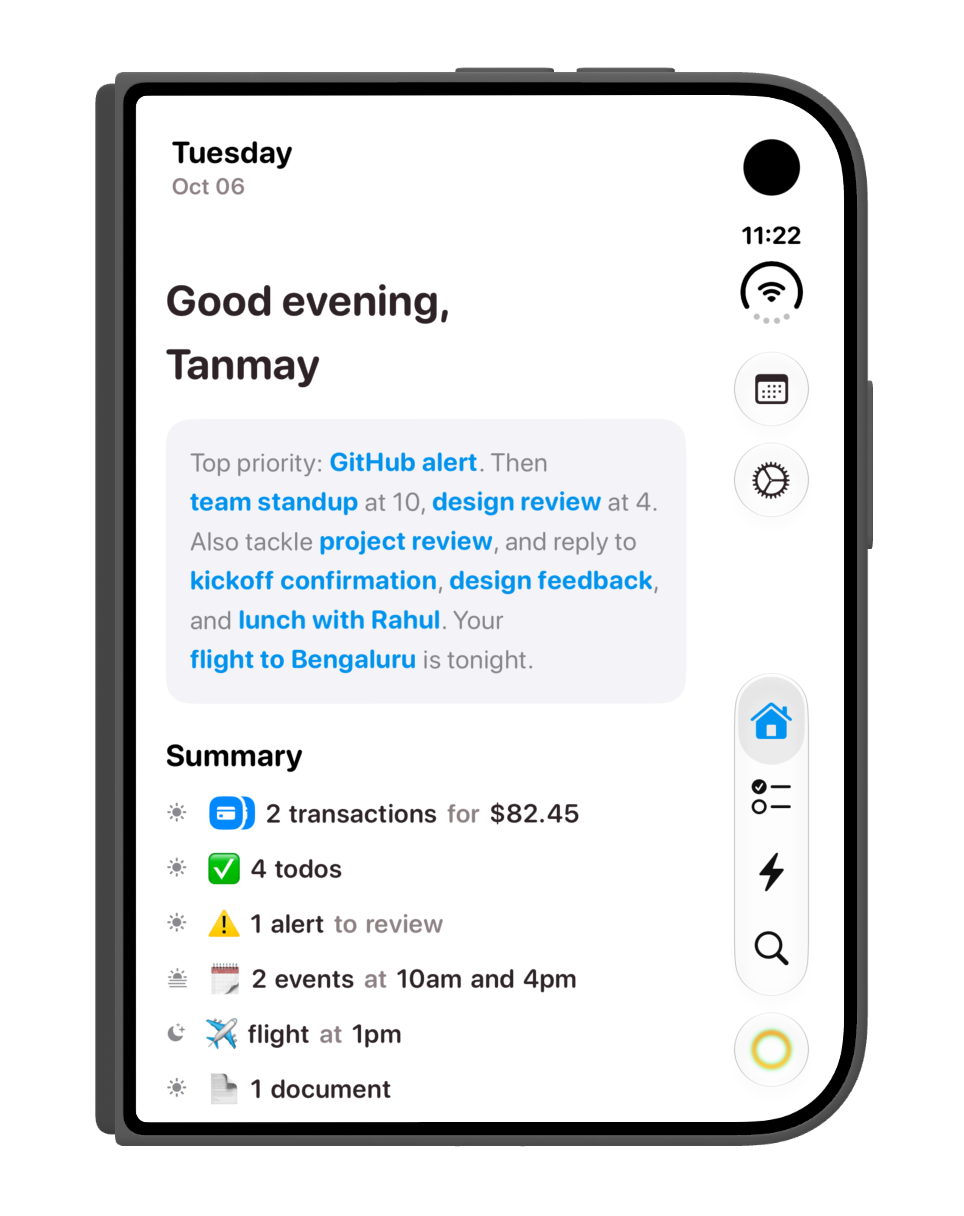
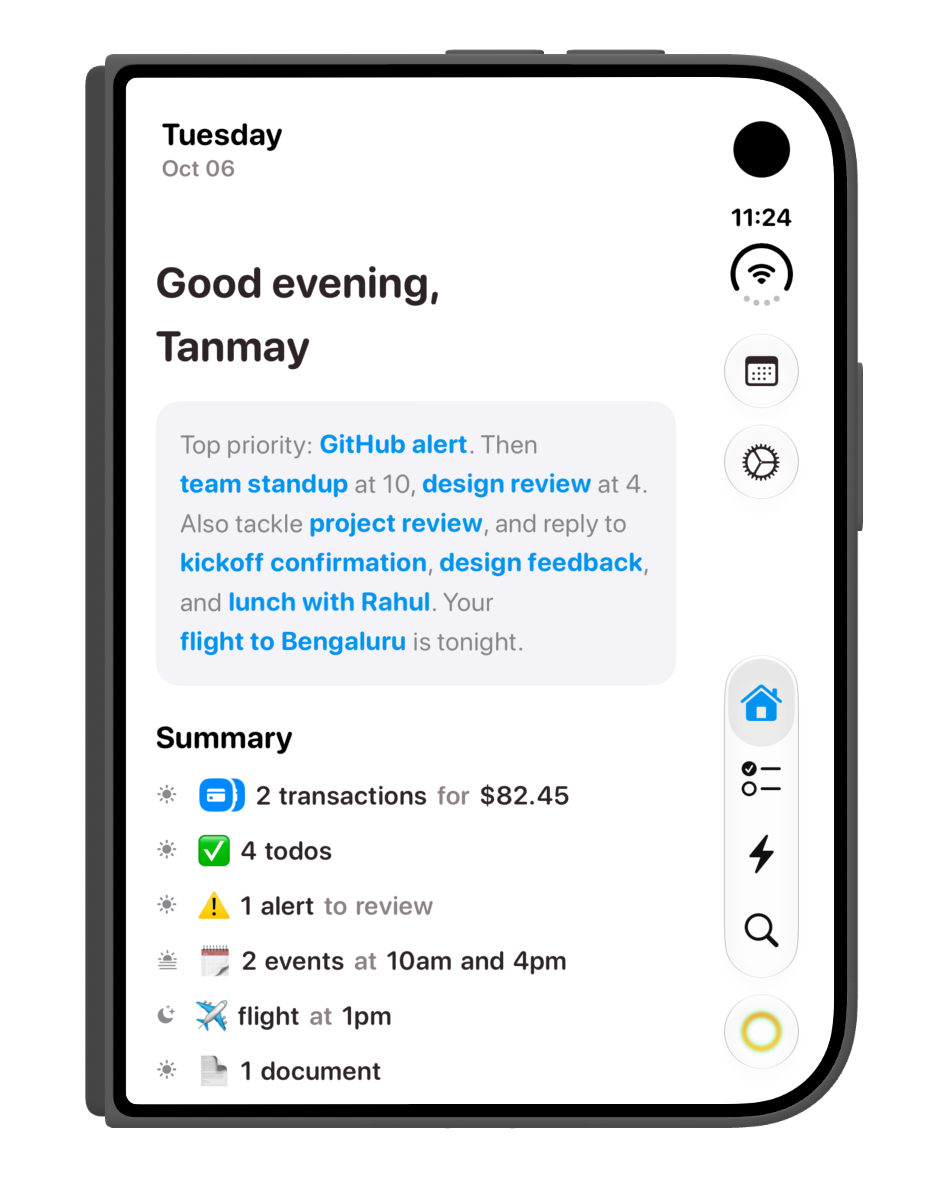
The daily briefing in the folded portrait layout, with priorities and a summary of transactions, todos, alerts and events.
DownloadPNG
A closer view of the folded home screen and its side navigation.
DownloadPNG
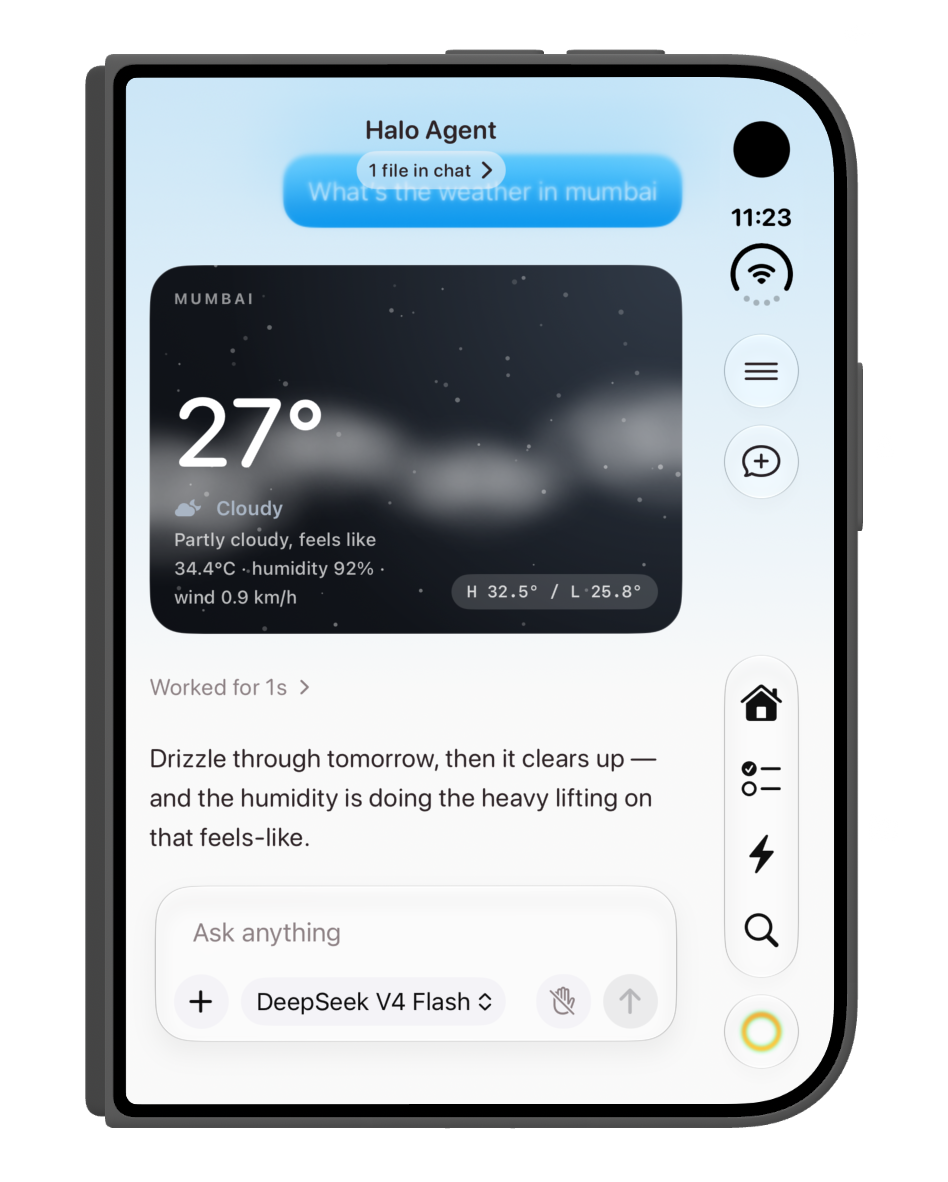
Halo Agent in the folded layout, showing a Mumbai weather card, its response and the chat composer.
DownloadPNG
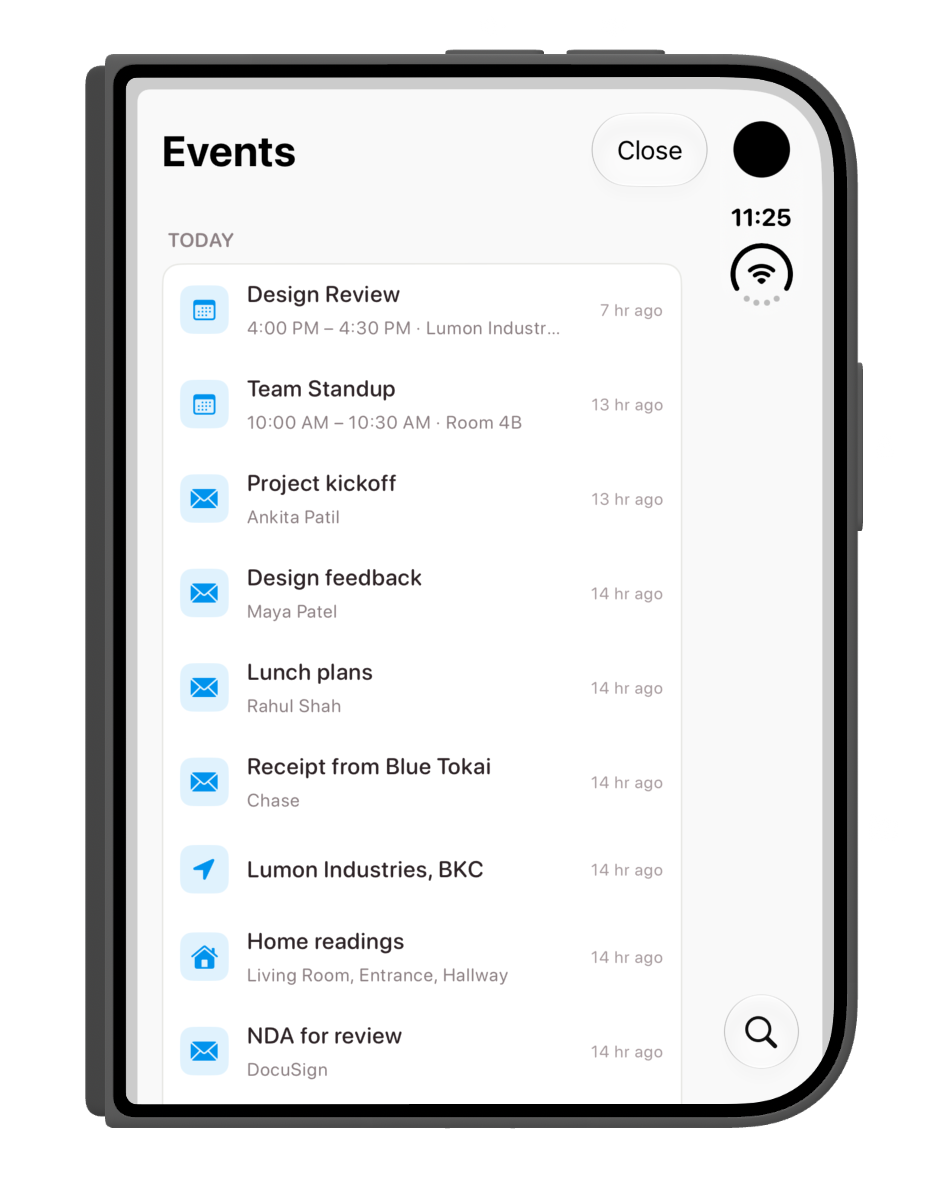
The events view brings calendar entries, emails and other activity into one list while the device is folded.
DownloadPNG
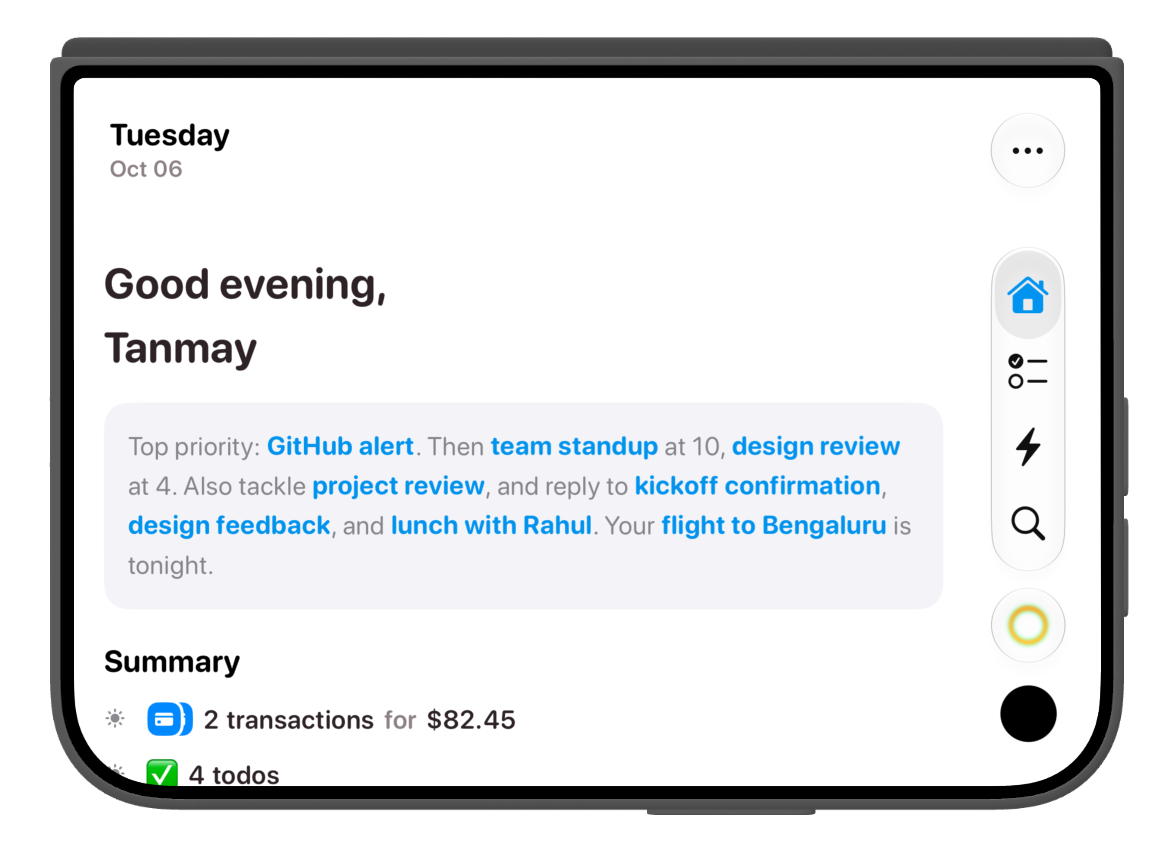
The folded home screen in landscape, with the briefing reflowed across the wider view and navigation on the right.
DownloadPNG

Keep chat beside what you are doing

This is the part I like most. With Duo open, chat can stay pinned on the right while you browse Halo on the left. You can move between Home, Todos, Tasks and Search without putting the conversation away.
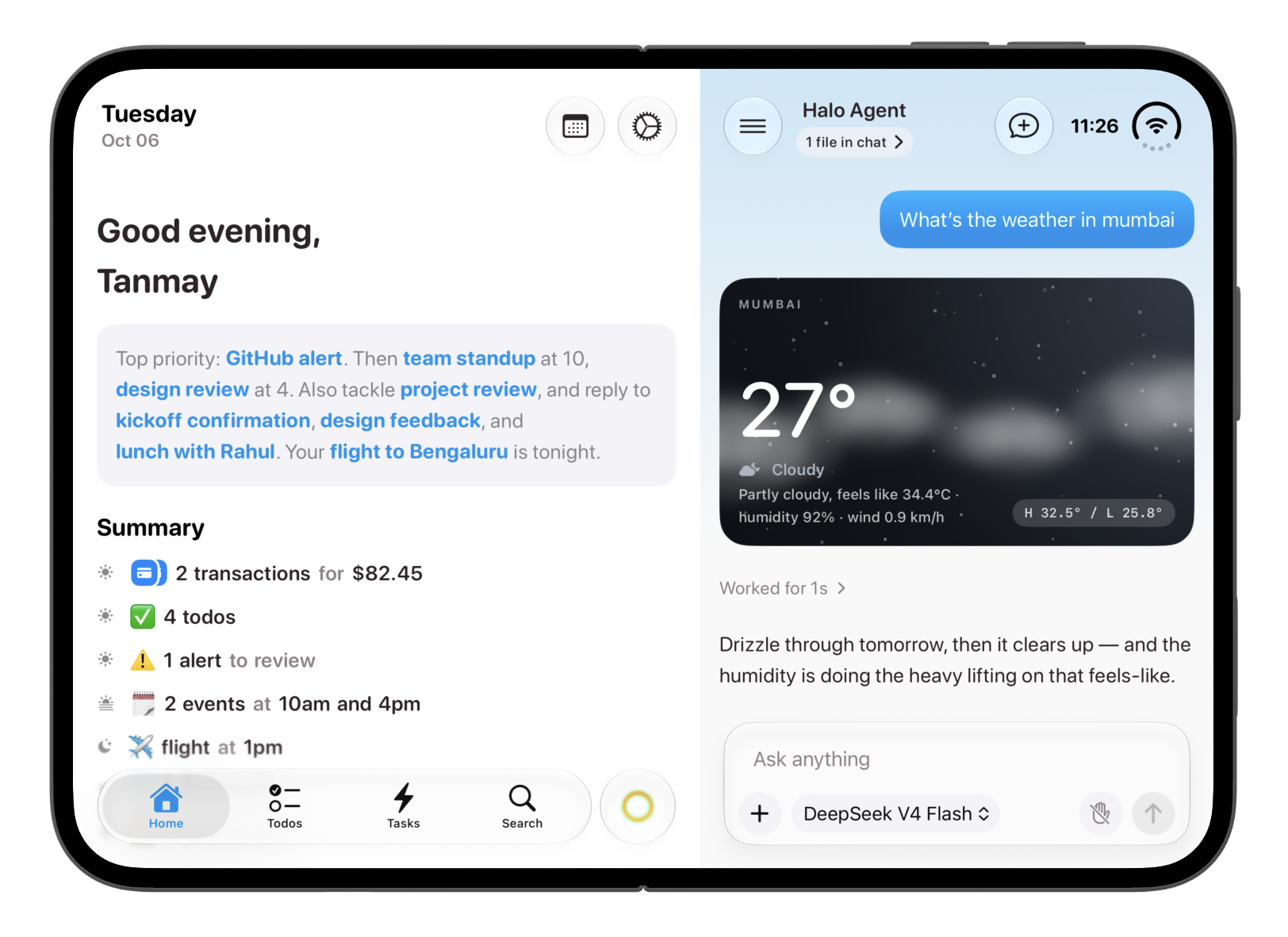
Halo unfolded in landscape: the briefing stays on the left, with the weather conversation and composer pinned on the right.
DownloadPNG
Browse the tabs on the left while Halo's chat remains accessible and pinned on the right.
DownloadMP4

The layout follows the fold

A partially folded screen needs more thought than just making everything narrower. Halo adjusts the split views to keep their content clear of the crease region as the fold changes.
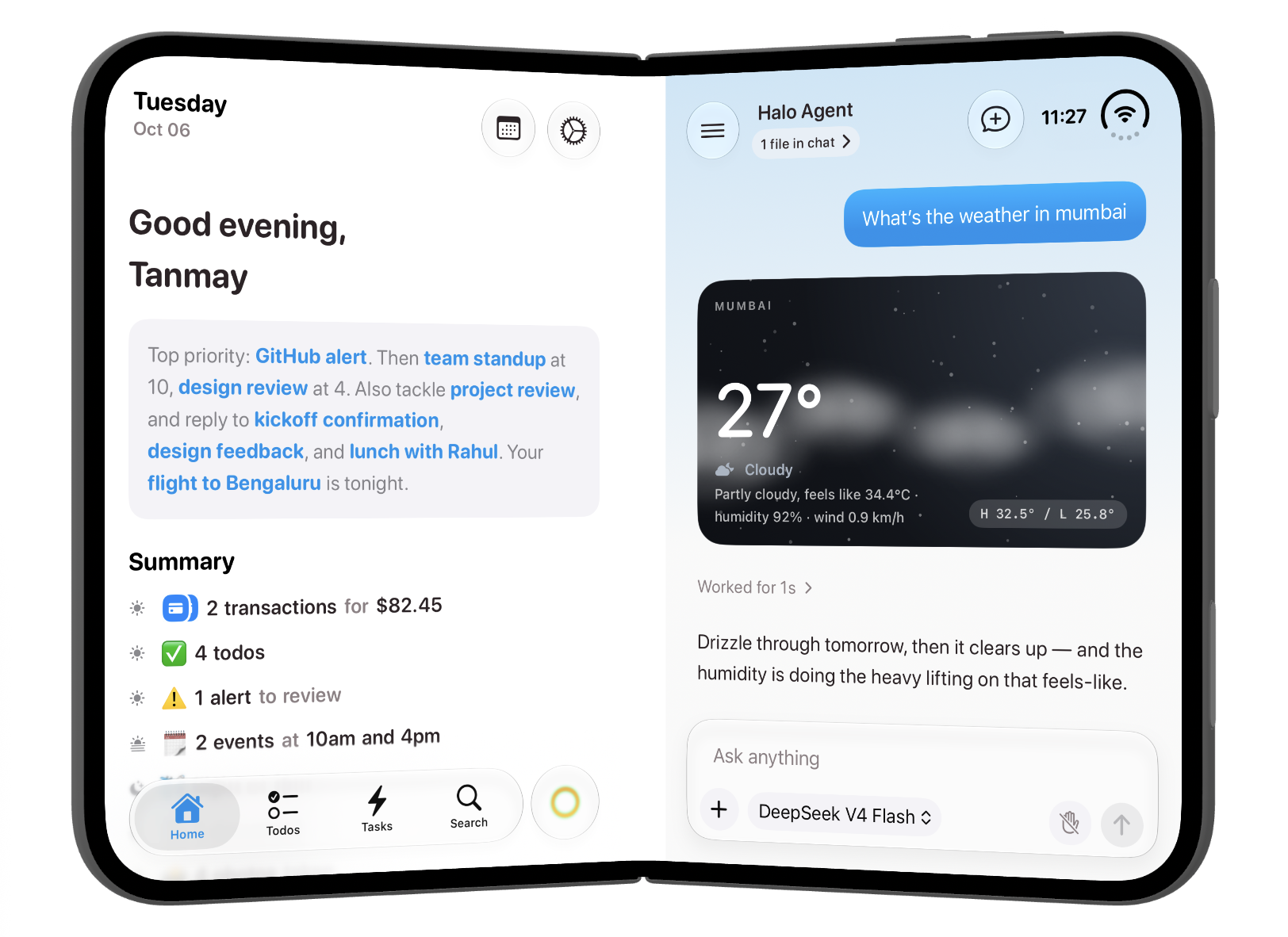
The partially folded layout keeps the briefing and chat on either side of the crease, with each view adjusted to its available space.
DownloadPNG
The partial fold in action. The split views adjust as the device bends, keeping content away from the crease region.
DownloadMOV

More room for the day

In the open portrait layout, the home screen has room to show more of the day at once. The briefing and summary sit above the todos, so you can read the context and move straight into what needs doing.
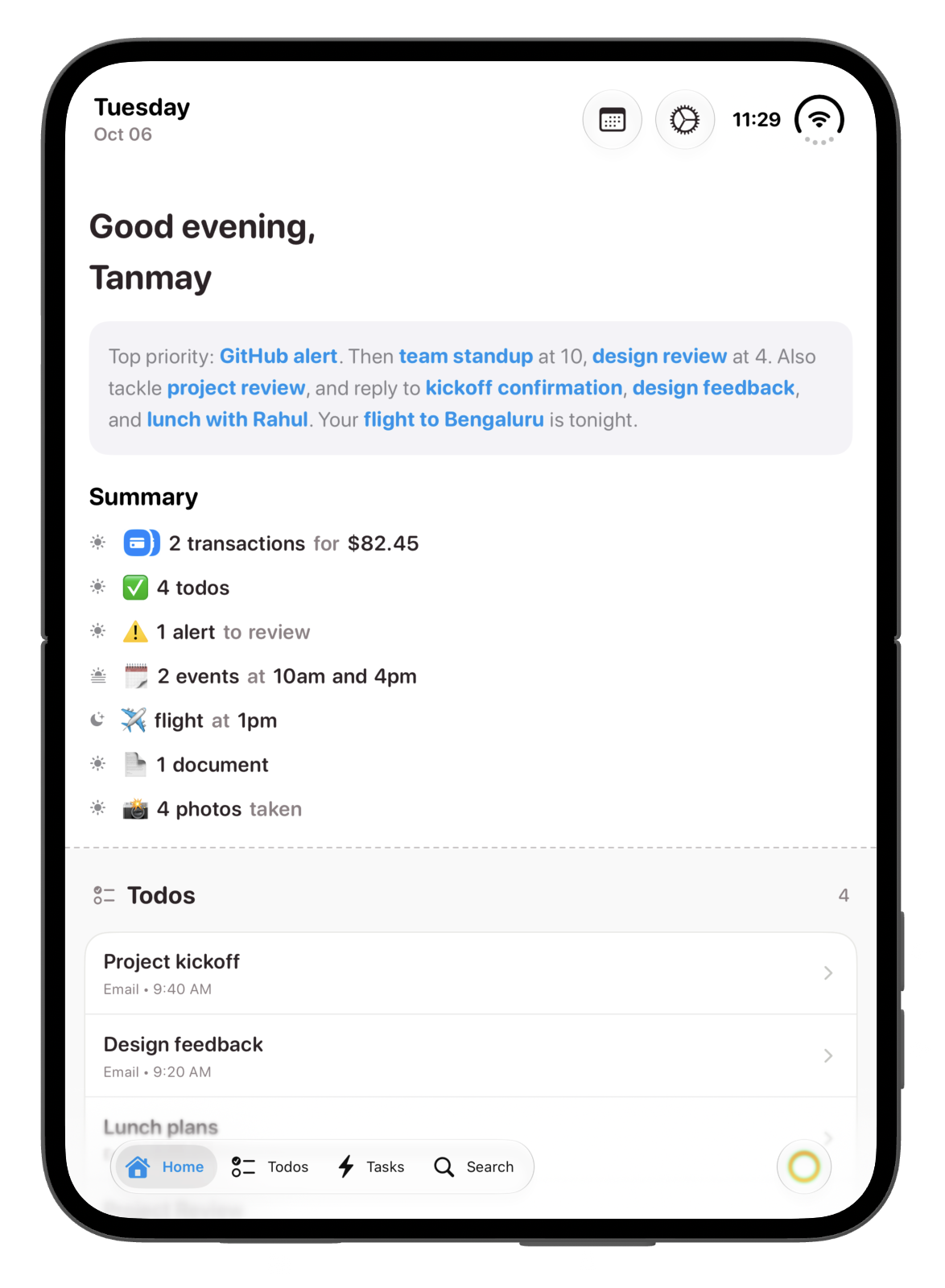
The open portrait home screen shows the daily briefing, a longer summary and the todo list below it.
DownloadPNG

Controls that fit the space

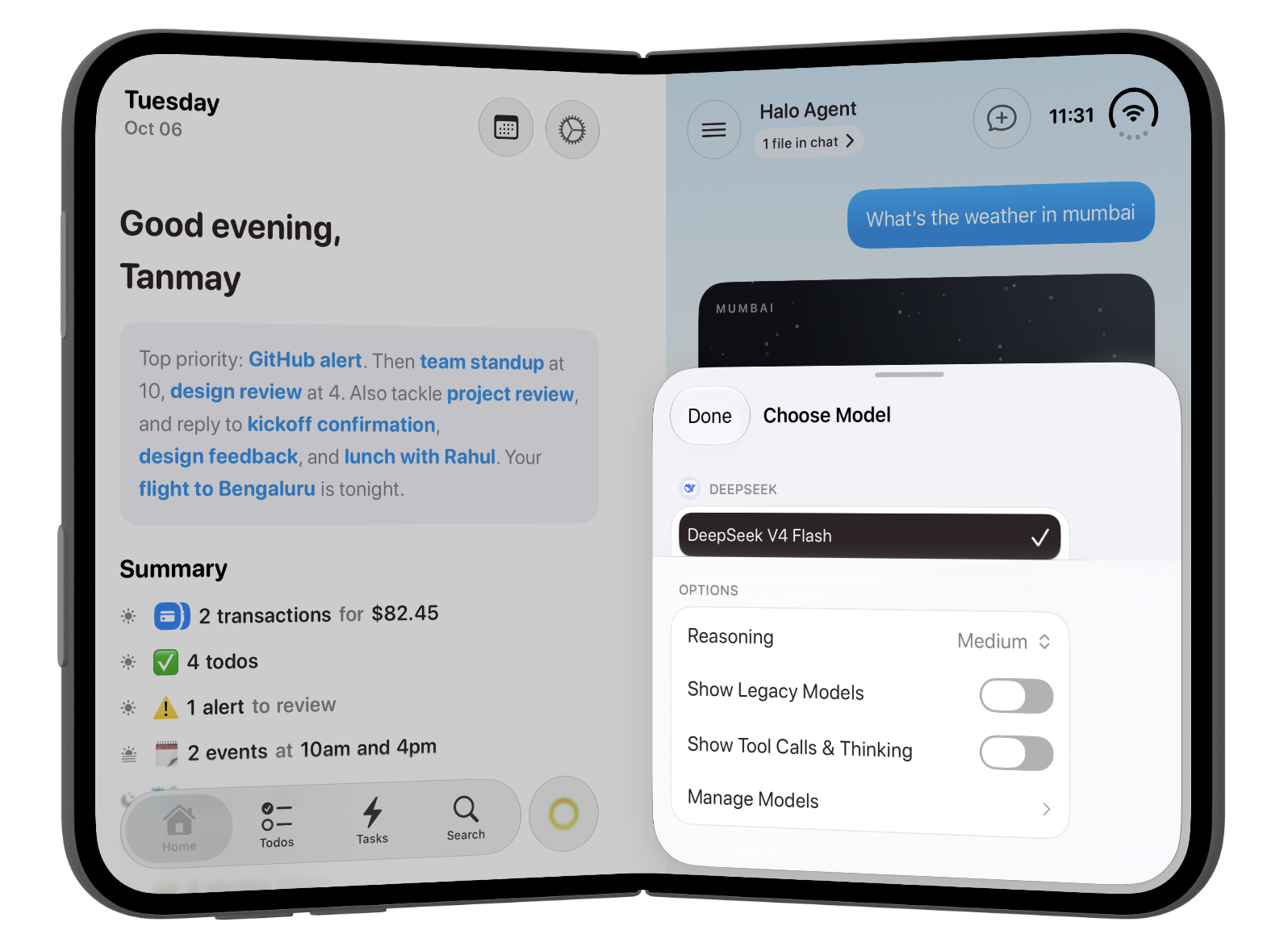
The model picker also adapts to the layout. These two views show the same controls with Duo flat and partially folded, including the model choice, reasoning setting and options for showing tool calls and thinking.
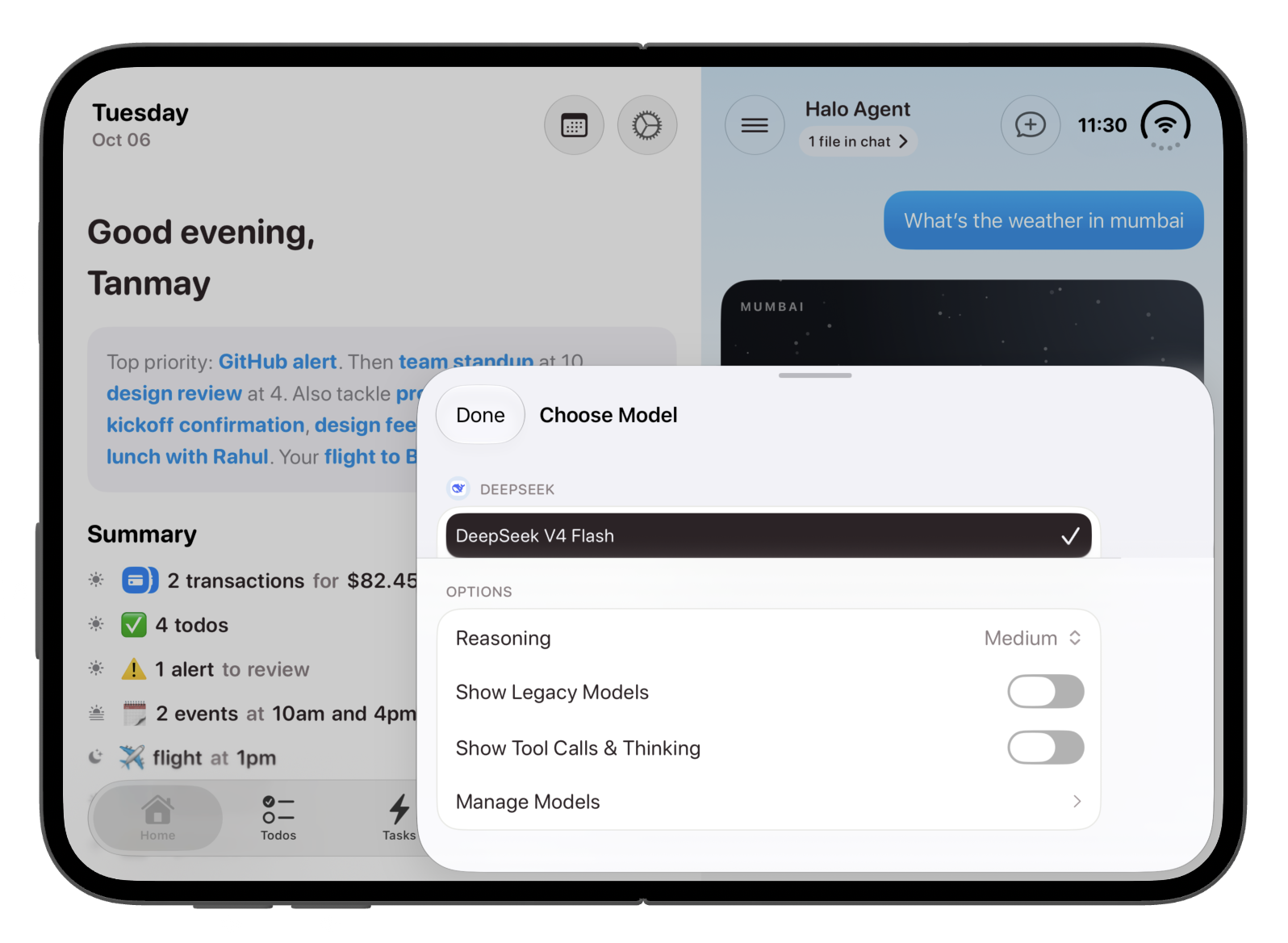
The model picker with Duo unfolded, shown over the home and pinned chat layout.
DownloadPNG
The model picker in the partially folded layout, contained on the chat side of the screen.
DownloadPNG

Download the complete presskit

The ZIP includes the complete Halo iPhone Duo presskit, with all screenshots and the three original videos. Asset filenames include a halo- prefix so they are easy to identify after downloading. The individual image downloads above are the full-resolution light-mode PNGs.

Download the complete presskitZIP


For press enquiries, write to [email protected].

Download Halo on the App Store.