Get started
AI Models
Halo doesn’t come with its own AI. You bring the provider you trust, and Halo talks to it directly from your iPhone. Set it up in Settings›AI Model.
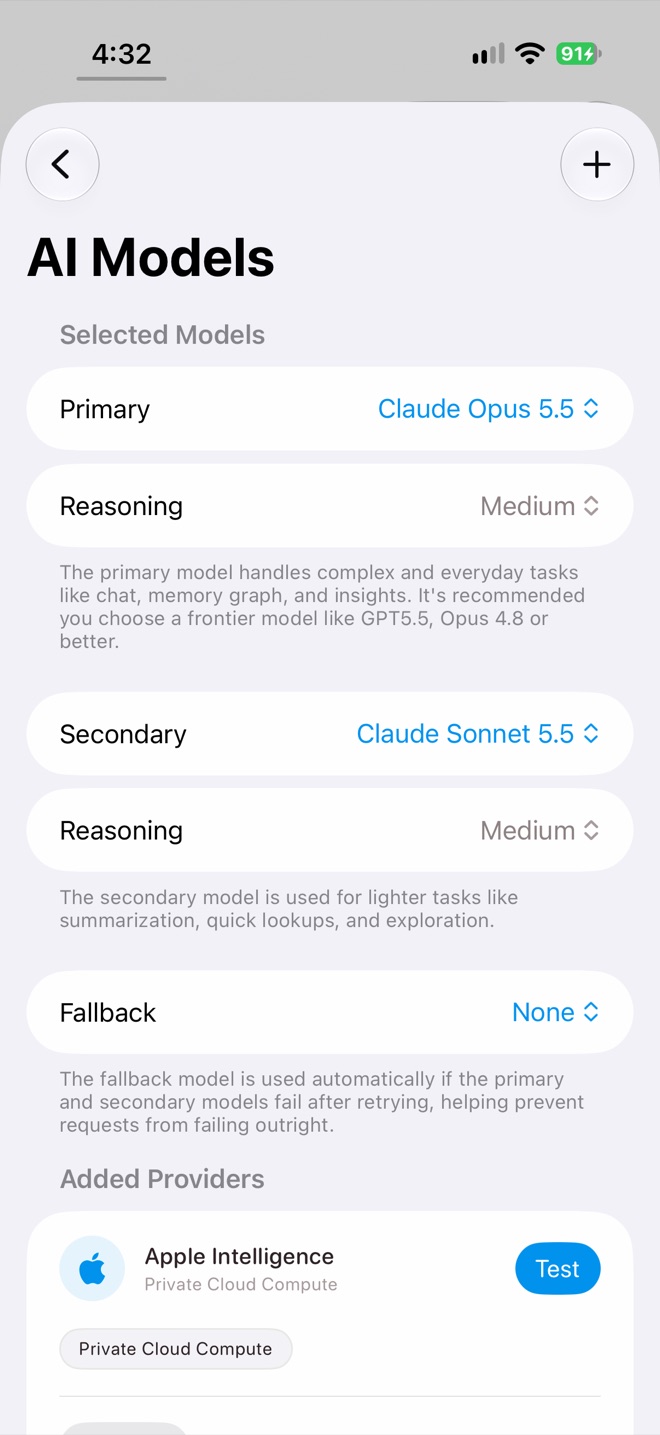
Selected models
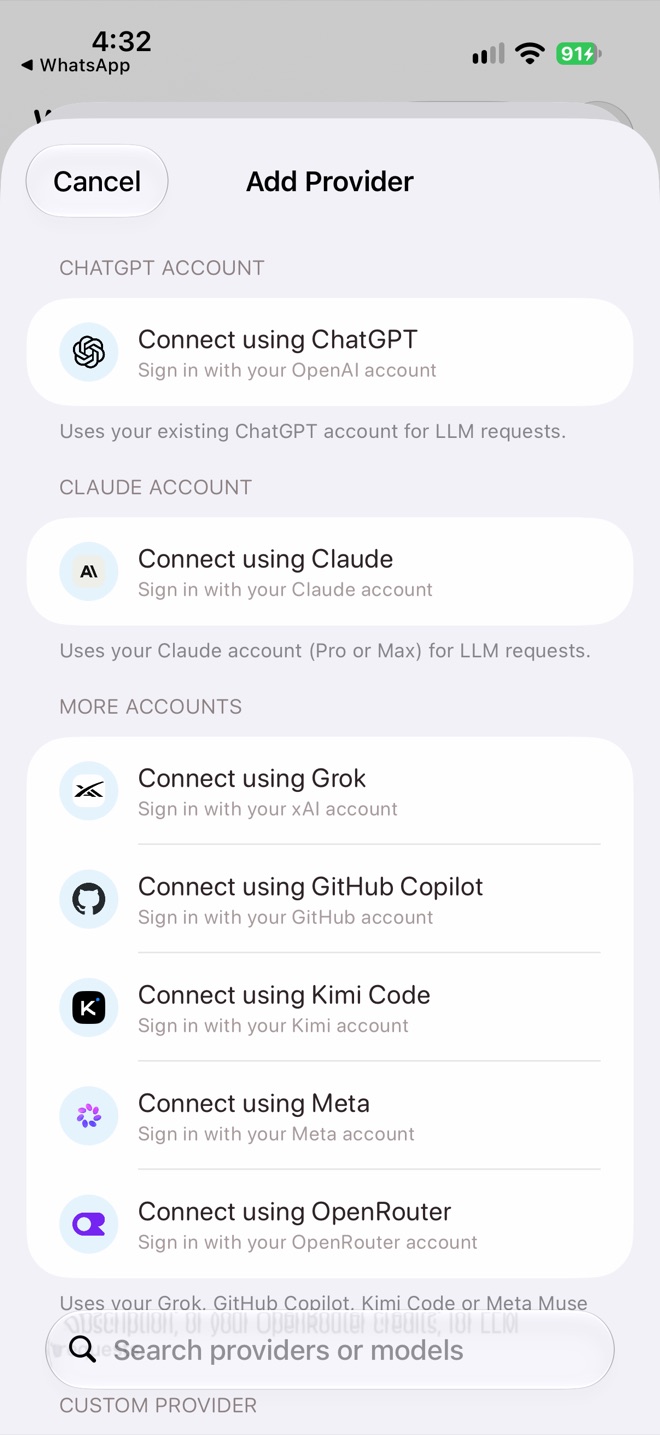
Add Provider
Ways to connect
Sign in with an account
No API key needed. Your existing subscription pays for it.
- ChatGPT Account: sign in with your ChatGPT plan.
- Claude Account: sign in with Claude Pro or Max.
- More Accounts: Grok (xAI), GitHub Copilot, Kimi Code, Meta, or OpenRouter credits.
Bring an API key
Search the provider list (Anthropic, Google, Groq, DeepSeek, Fireworks and many more), choose one and paste your key.
Apple Intelligence
On iPhones that support Apple Intelligence, choose Use Apple Private Cloud Compute to run Apple’s foundation model on Apple silicon servers.
Custom provider
For any other service or your own server, choose OpenAI Compatible API (Chat Completions or Responses), Anthropic Compatible API or Google Gemini Compatible API, and enter the base URL and key. Leave the key empty for servers that don’t need one. Guides: OpenCode Go, Ollama and LM Studio.
Model roles
| Role | Used for |
|---|---|
| Primary | Chat, memory, insights and most tasks. Choose a frontier model for best results. |
| Secondary | Lighter work: summaries, quick lookups and exploration. |
| Fallback | Used automatically when Primary and Secondary fail after retrying. |
Each role has a Reasoning level for models that can think before answering. Higher is smarter but slower and uses more tokens.
Choose a model for one job
- One chat: tap the model button in the composer.
- Memory: Settings›Memories›LLM Model.
- Voice note summaries: Settings›Notes›LLM Model.
- A task: the model picker under What it can use.
Manage providers
Tap a provider to Test it, Refresh models, Reconnect an expired sign-in, set a model as Primary, Secondary or Fallback, or Disconnect. For custom providers, reasoning has to be turned on per model: tap a model and switch on Supports Thinking.
Settings›Model Usage shows tokens and spend by model, and Settings›Agent Logs shows every agent run step by step. See Check your AI usage and Understand and share AI traces.
Privacy
Requests go straight from your iPhone to the provider, never through a Halo server. Keys and sign-ins are stored in your private workspace. For the most privacy, use a provider with a zero data retention policy, or a model you host yourself.