Your data
Workspace & Sync
Everything Halo knows and makes lives in plain files in a folder you own: iCloud Drive › Halo › your first name. You can open it in the Files app, back it up, and read every memory, note and task.
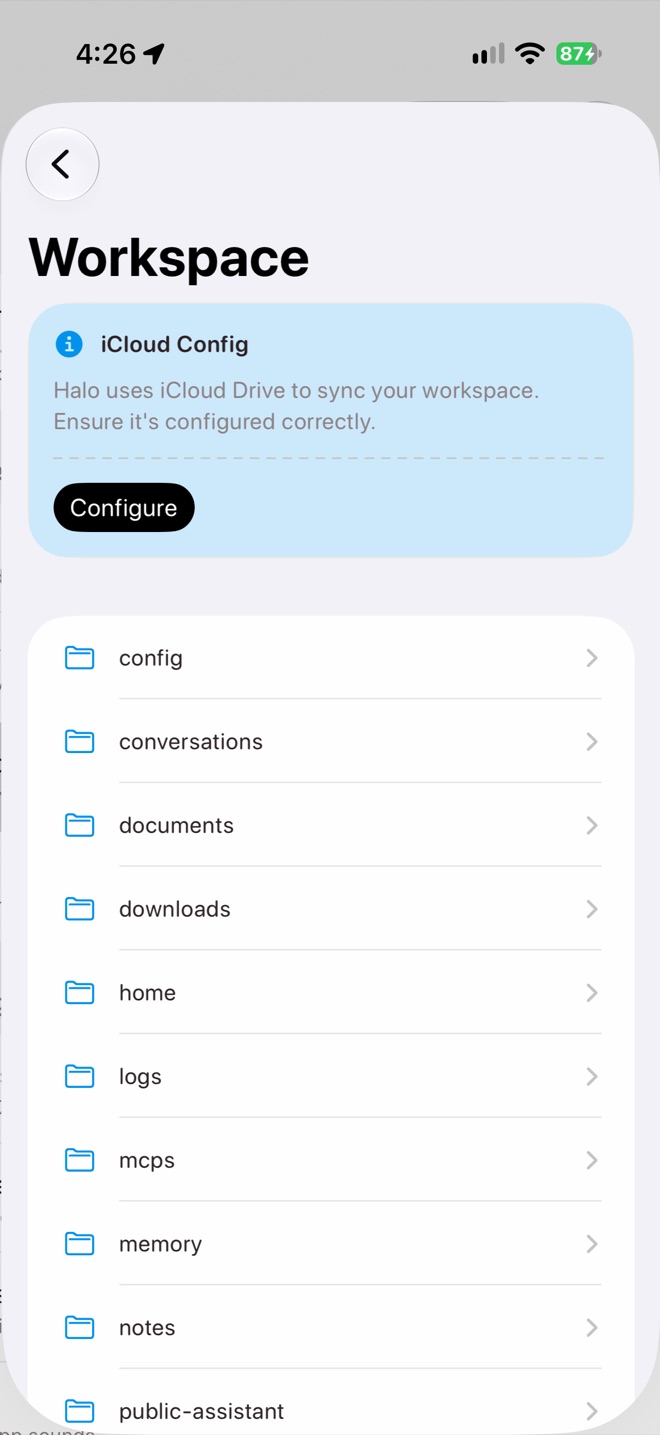
Settings › Workspace
What’s in the folder
| Folder | What it holds |
|---|---|
memory/ | Your memory wiki, as Markdown pages. |
notes/ | Each note in its own folder with note.md, transcript.txt and audio. Recently Deleted is in _trash. |
conversations/ | Chat history, plus facts you asked Halo to remember. |
home/ | Your timeline events, insights, research briefings and summaries. |
tasks/ | One folder per task with its settings, run logs and widget. |
skills/ | Installed skills, each with a SKILL.md. |
mcps/ | MCP server definitions. |
public-assistant/ | Your About text, visitor chats, approvals and usage. |
documents/ | Files Halo creates for you, like reports and exports. |
downloads/ | Files Halo downloads, like attachments. |
config/ | Settings and connections, including sign-ins for providers and websites. |
logs/ | Agent traces, model usage and the Secure Vault access log. |
Keep it downloaded
In the Files app, touch and hold the Halo folder and choose Keep Downloaded. Then Halo never waits for iCloud to fetch a file.
Devices: primary and client
Use Halo on your iPhone and iPad and they share one workspace. One device is the primary: it does the background AI work, like insights, memory, scheduled tasks and the Public Assistant. The others are clients: they show what the primary made and still save your changes, like completed todos.
Once Halo knows about more than one device, Settings›Devices appears. Tap Make Primary on the device that’s on most, usually your iPhone. The switch takes effect when that device next opens Halo.
- Each device records voice notes on its own schedule and processes them itself.
- If the primary misses a scheduled task by 3 minutes, an online client runs it.
Not in the folder
- The search index, rebuilt on each device.
- Imported iMessages, kept on the device that imported them.
- The Secure Vault, which lives in iCloud Keychain.
Tools for power users
- Terminal (Settings›Terminal) is a Linux shell with your workspace mounted, used by Halo and by skills.
- External Folders lets you mount a folder from Files so Halo can read it, and write to it if you allow.
- Environment Keys edits the workspace’s
.envfile, for API keys skills need. - Storage shows what’s using space and can delete agent traces older than 30 days.
Deleting your workspace
Settings›Profile›Delete Workspace & Logout deletes the whole folder on every device. Copy it somewhere in Files first if you want a backup. Plain Logout keeps your files.