Your data
Memory
Halo keeps a private wiki about your life: the people you know, your work, travel, finances, health and more. It writes and updates the pages in the background, and uses them to answer you with real context.
How it learns
Every few hours, Halo looks at what’s new and updates the wiki. It learns from:
- Your timeline: email, calendar, reminders, location visits, health, home, music and notes.
- Things you tell it in chat, like “remember that my sister lives in Bangalore”.
- Summaries of your past chats and voice notes.
- What you did with insights and todos on Home.
Pages link to each other, so “Priya” links to “Family” and to the trip you took together. Halo reads the relevant pages before answering, and the Search tab searches them by meaning, not just keywords.
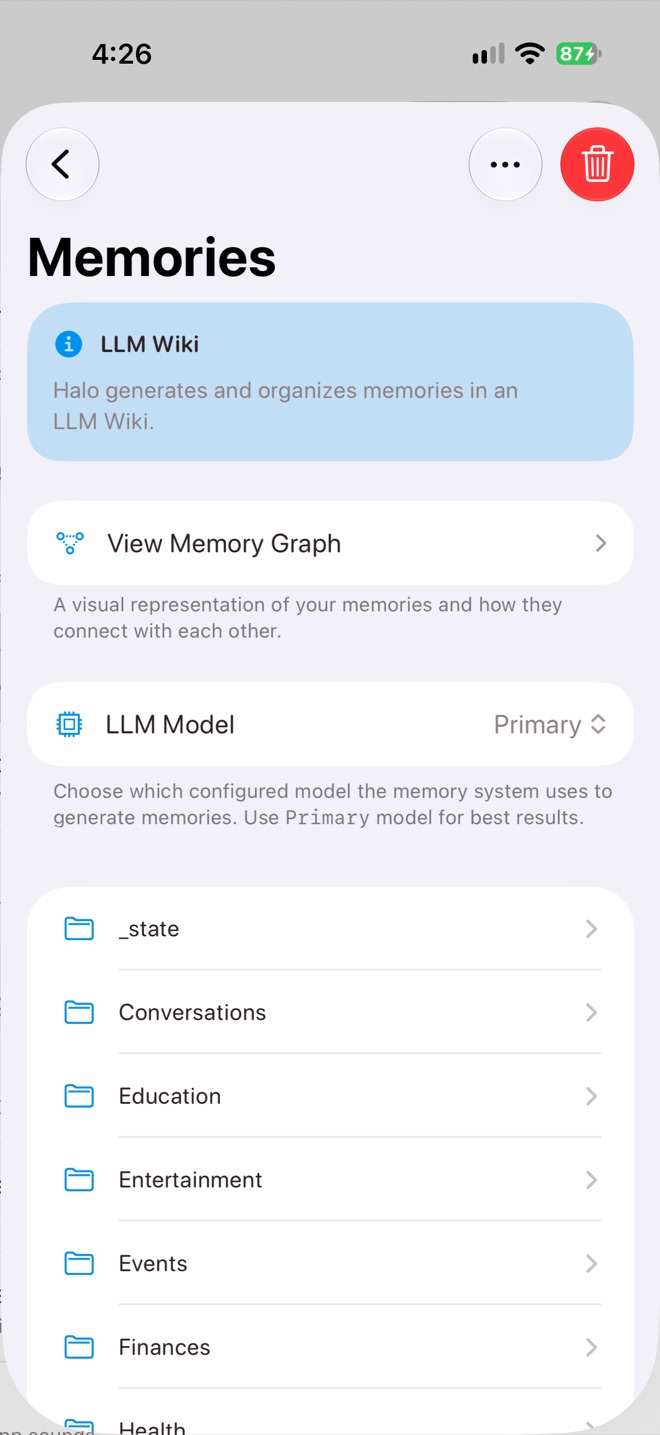
Settings › Memories
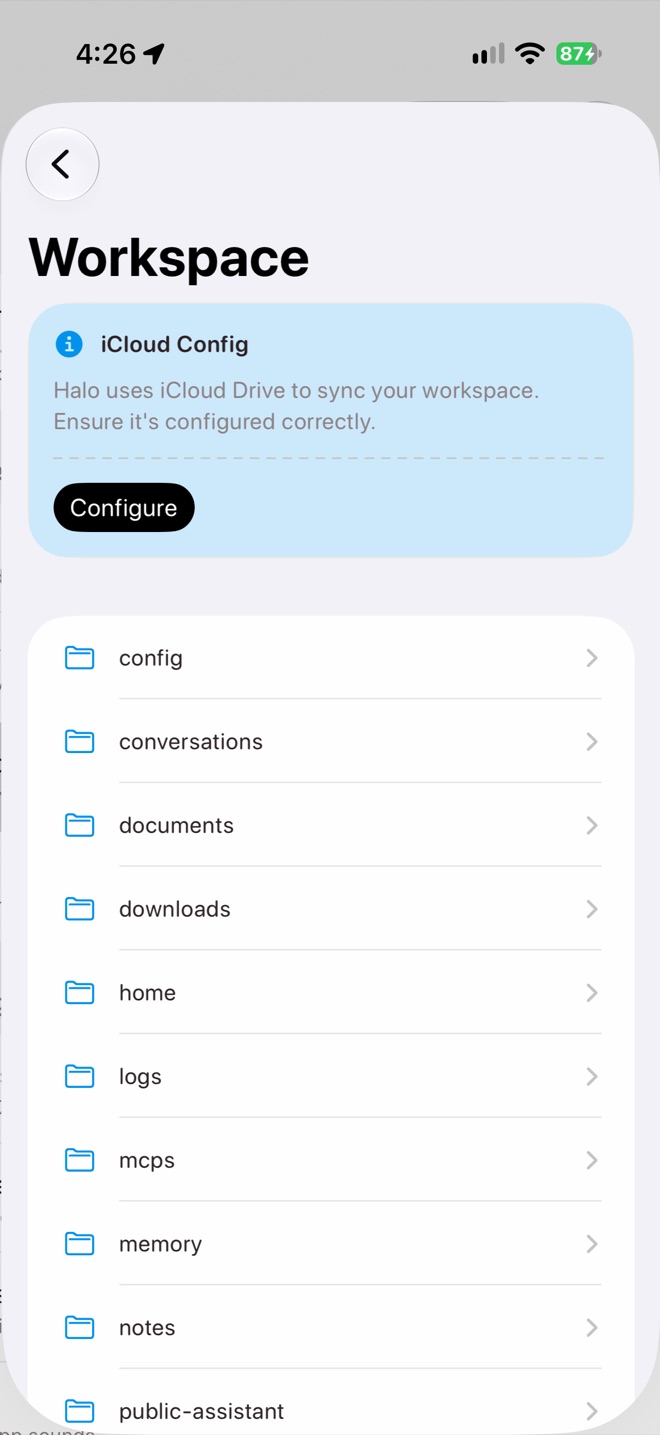
Memory is a folder in your workspace
Browse and edit
Open Settings›Memories. Pages are grouped in folders like People, Work, Travel and Finances. Tap a page to read it, and edit it if something is wrong. View Memory Graph shows how your memories connect; pinch to zoom.
Controls
| Control | What it does |
|---|---|
| LLM Model | Which model writes memories. Primary gives the best results. |
| … › Update Memories | Runs an update now instead of waiting for the next one. |
| … › Re-vectorize | Rebuilds the search index for your pages on this device. |
| Trash › Delete All Memories | Deletes every generated page. Your profile is kept, and memories are rebuilt from your data over time. |
Runs on your primary device
Memory updates run on your primary device and sync to the others through iCloud. Each device builds its own search index from the synced pages.
Privacy
Memory pages are Markdown files in your iCloud Drive workspace. To write them, Halo sends what changed to the memory model you chose. The search index is built on your iPhone. Your Public Assistant never sees your memory, and its chats never become memories.